
Setup
After installing and activating a new Sprout Apps sub menu will show named Help Scout Desk. Navigate to that page and enter your Help Scout API key and Mailbox ID.
Finding the API key

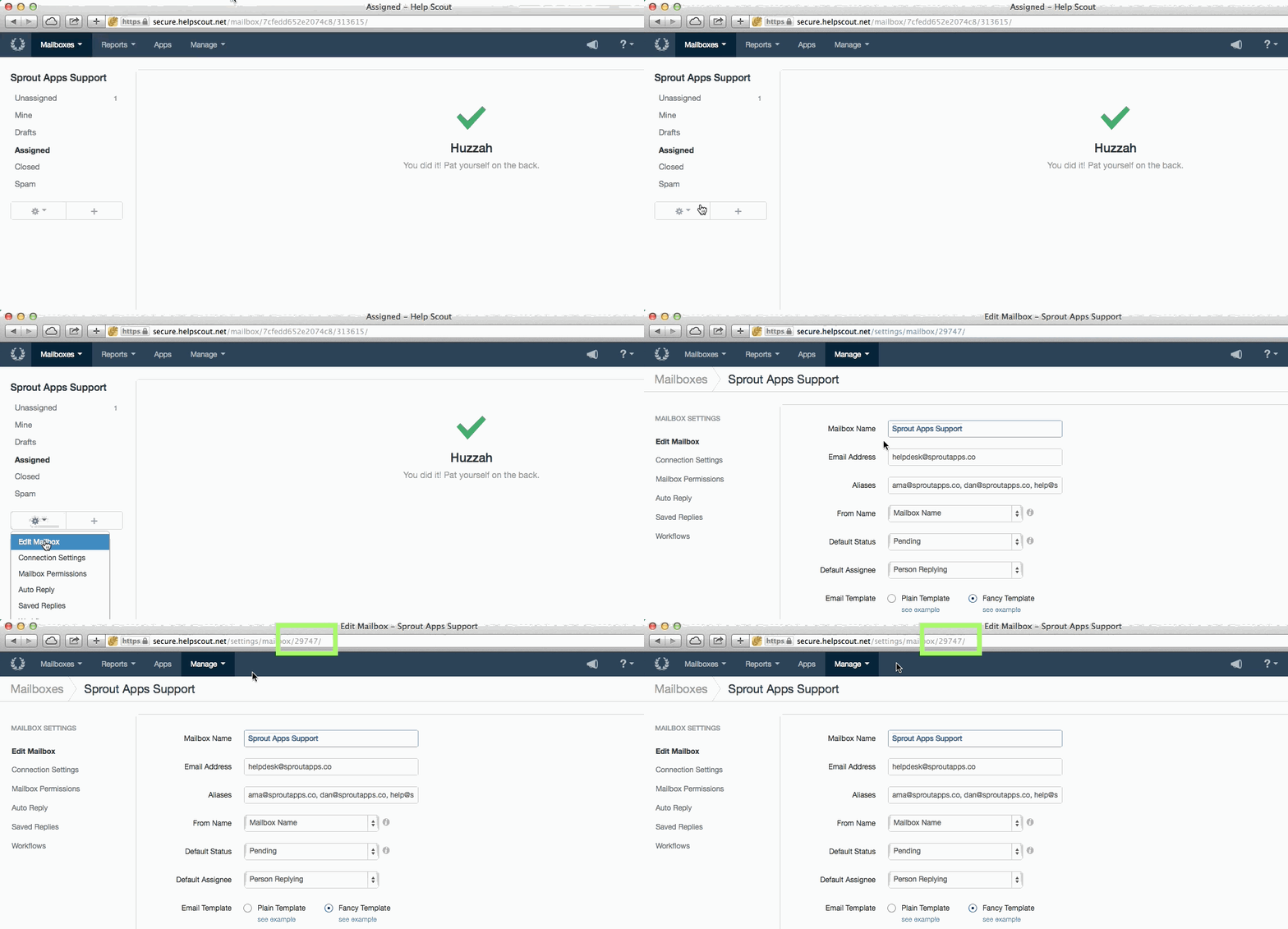
Finding the Mailbox ID
Setup – Shortcodes
Shortcodes are used to display the table, conversation view or response form.
helpscout_desk — will show a table showing all tickets/conversations and the single ticket/conversation view. The content is dynamic and based on wether the customer is on overview or the single conversation view
hds_form — provides the conversation/ticket creation form as well as the thread response form. The form is dynamic and knows wether you’re on the single conversation view or the table.
Advanced
Wrap your success message within this shortcode too.
Each shortcode has the ability to be mailbox specific by using the mid attribute.
CSS Styling
The default styling is intentionally limited to not get in your way, however we have a default style to help make things look good.
Customizations
All shortcode views are easily customizable through templates that can be copied to your theme. Just like how Sprout Invoices works. The only difference is that Help Scout Desk Templates need to be placed in a hsd_templates directory in your theme.
For example, twentyforteen/hsd_templates/shortcodes/single_conversation.php

Translating Strings Example
Hooks
There are a lot, so here are the most important ones.
EDD Integration
hsd_edd_app_early_html
If you want to create your own output for the EDD integration use this filter to create your own HTML response.
hsd_edd_app_html
This filter could be used if you want to manipulate the HTML response for the EDD integration.
Conversations
hsd_create_conversation
Is an action fired after a conversation is created.
hsd_create_conversation_fields
Filter the fields sent to the Help Scout API to create a conversation.
Threads/Replies
hsd_create_thread
Is an action fired after a thread/reply is created.
hsd_create_thread_fields
Filter the fields sent to the Help Scout API to create a thread/reply.
More
hsd_get_conversations_by_user
Filters the API response for conversations based on a user.
hsd_get_conversation
Filters the API response for a conversation based on a conversation id.
Troubleshooting
Input could not be validated
This error most likely you have entered the incorrect mailbox id. Review your settings and make sure the correct credentials and mailbox id are being used (instructions on how to find the mailbox id are above).
Advanced
Logins
HSD 1.4 added some core functionality to allow for users to login to view their support desk without requiring them login via WordPress. More information about this can be viewed in the release notes.